
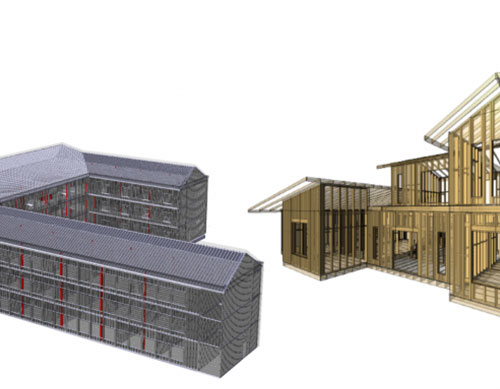
With Spring just around the corner, the latest MWF version 2.40, build 8444 is out with a host of general improvements and new features added to its walls, floors, trusses and shop drawing modules.
A key change has been made to how the software creates panels. MWF will now only use structural families for creating wood and LGS wall panels. This will result in faster generation times, easier scheduling, lighter installation files, and the convenience of having to maintain only one section shape instead of two.
Scroll down to view new standout features that have been added to the each module:
1.Walls
Trapezoidal Opening Markers for Wood panels –
Single Openings
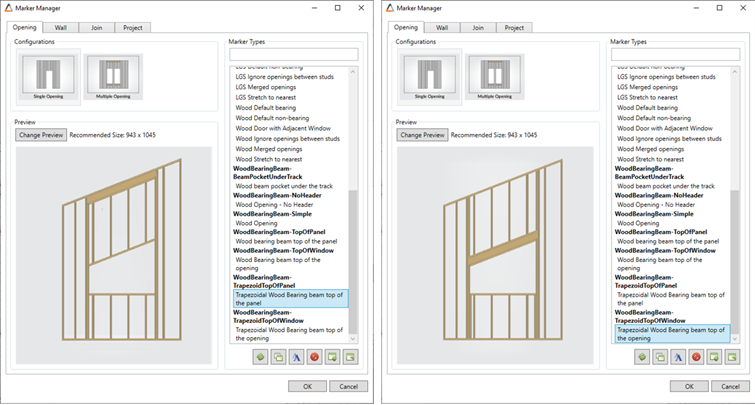
Two new options have been added for single openings. Compatible with raked walls, useres will now be able to frame trapezoidal single openings by selecting Trapezoid Top of Panel or Top of Window options.
Trapezoidal Opening Markers for Wood panels –
Multiple Openings
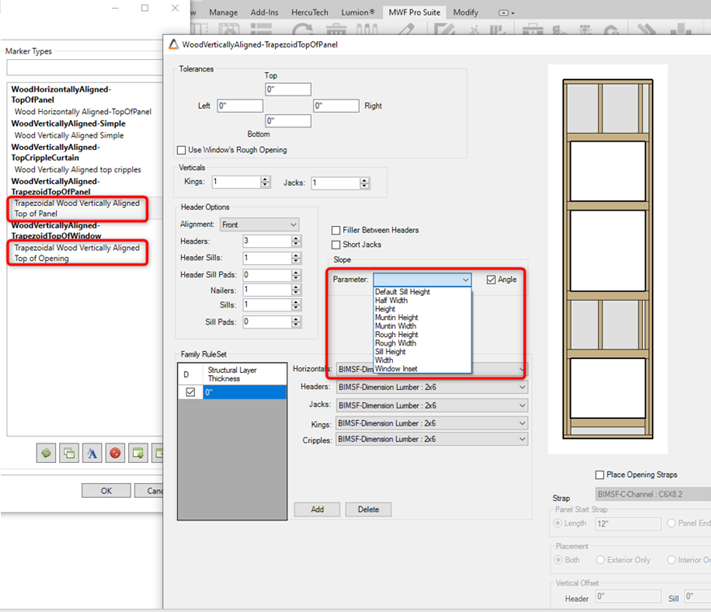
Two new options have been added for Multiple openings. These two new markers are compatible with raked walls and will allow users to frame trapezoidal windows aligned on top of other openings.
Wood Opening Marker Nailers
Top and Bottom Nailers will have their own BIMSF_description, allowing user to sort out these elements as needed in their schedules. Nailer members will be tagged as ‘TN’.
Structural Members – Cripple Override
The Cripple Override command will now be compatible with the Multisystem marker. User will be able to change cripple’s family types and use the Multisystem marker simultaneously.
Bearing Beam – Bottom of panel
A new option available in the Bearing Beam command, will allow users to create Bearing Beams for the bottom of their panels.
Control Joint
Cripples created with Control Joint command will have a different BIMSF_Description; they will get tagged as CCR, allowing user to sort out these extra cripples from the regular ones in their schedules.
Clash Detection Reports
Users will now be able to export their Clash Detection Reports to Excel.
Horizontals – User-Defined Horizontal Definition
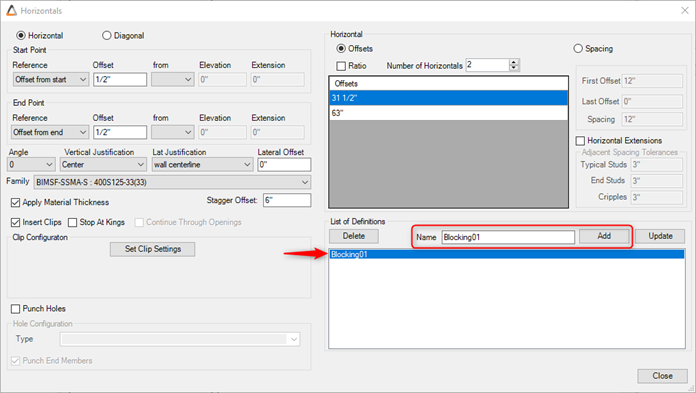
Users will be able to name their Horizontal Settings for better clarity.
Horizontals – Lateral Offset
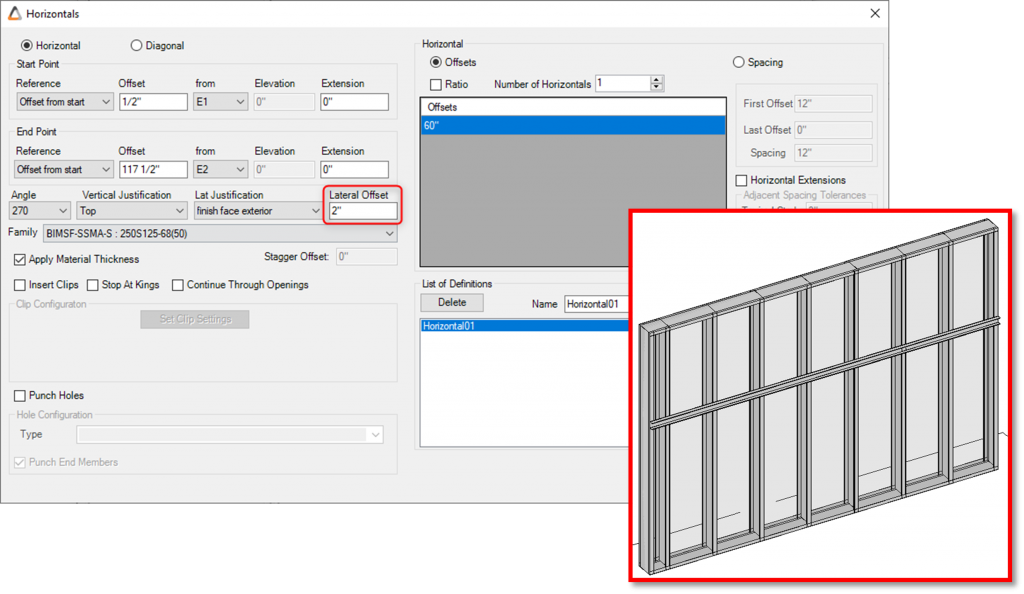
This new option added to Horizontals command will allow users to move their horizontal members laterally at a custom offset.
2.Shop Drawings
Dimensions
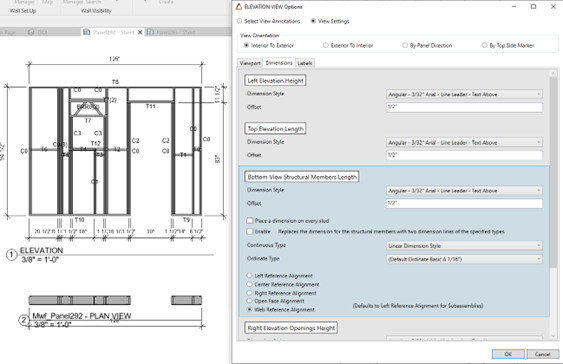
Shop Drawings dimensions settings have been visually improved for better understanding of the settings.
Host Element Transparency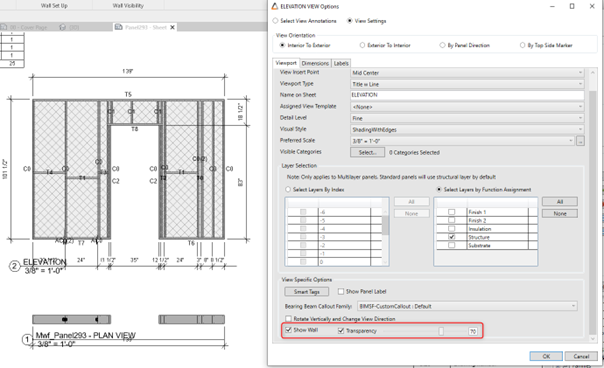
Users will be able to add transparency to the walls when using the Show Wall option in Elevation view Settings. This option allows the panel’s host to be shown in the shop drawings without compromising the panel’s visualization.
Shop Drawing Dimensioning for Structural Members
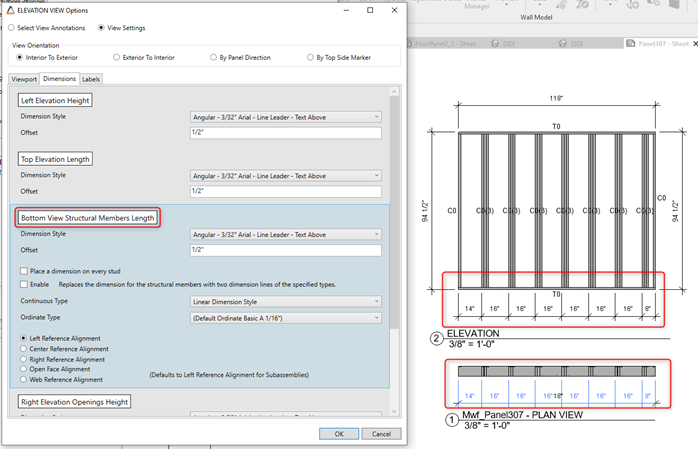
Only the first stud will be dimensioned when the stud configuration is set to other than “Normal” (doubled, tripled, back-to-back, etc.) as well as the first stud of a stud pack, making for more readable dimensions.
Sheet Parameter option
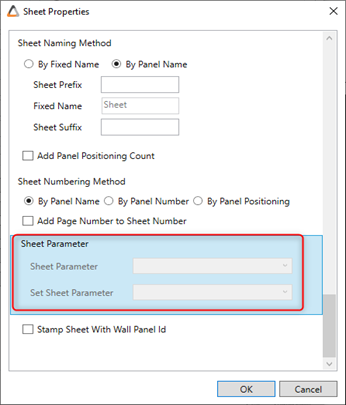
With the purpose of providing a better file organization, this new option will allow users to organize sheets by a project/shared parameter.
Sheet ordering function
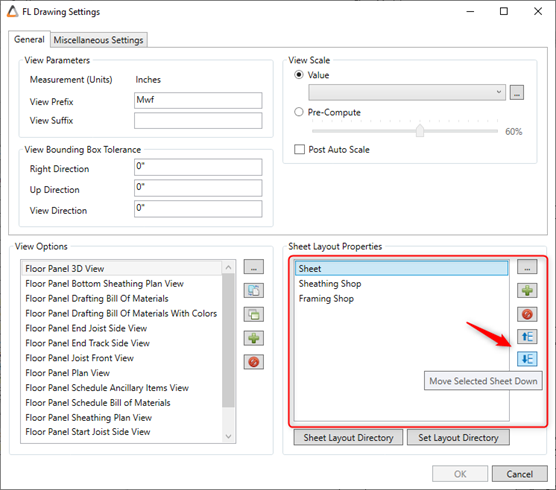
The option for rearranging all sheets in a specific order is now available in Floors and Rafters Shop Drawings settings.
3.Floors
Blocking Placement
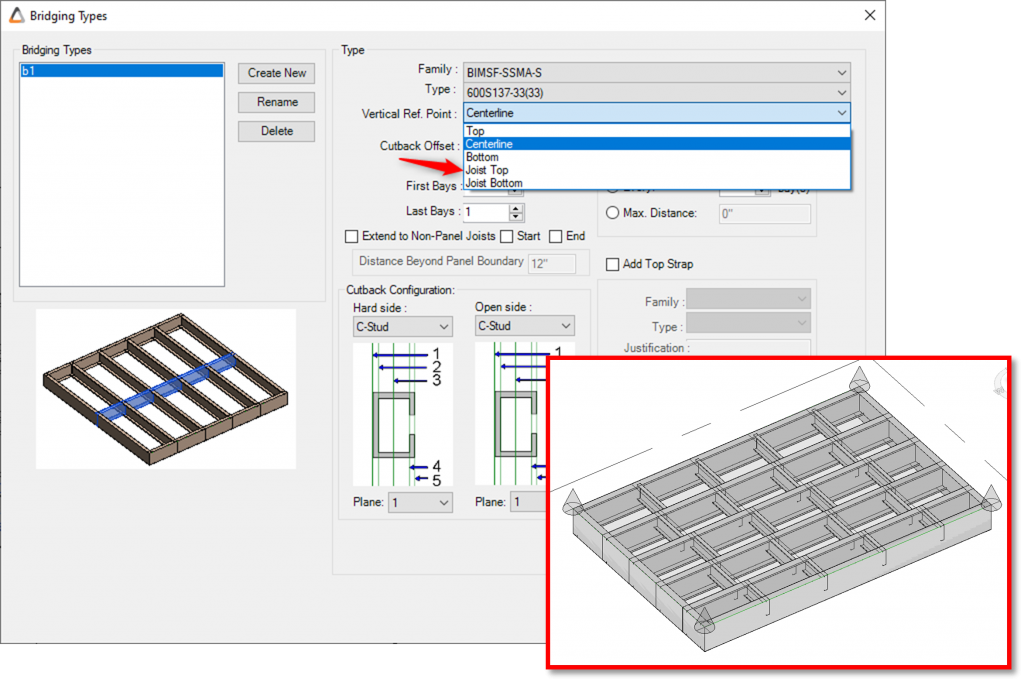
New added flexibility for blocking placement will allow user to control its justification when blocking members are of a different size from the joists members.
Floor Reports
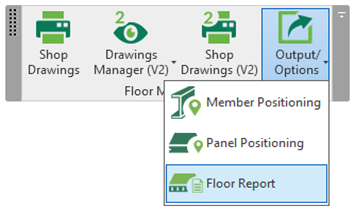
This new option will allow users to generate Floor and Member Reports, an option similar to the existing Wall Report tool. Before generating the reports, all floor panels must be positioned.
Rotate option for Floor members
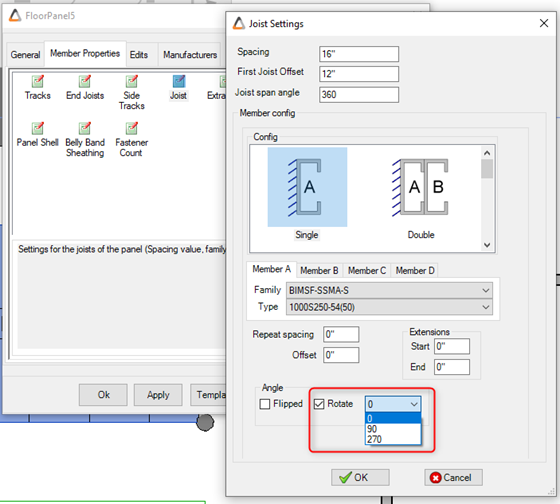
Users will be able to rotate panel’s members to a defined rotation of 0, 90 or 270 degrees.
Sloped Floor Trusses
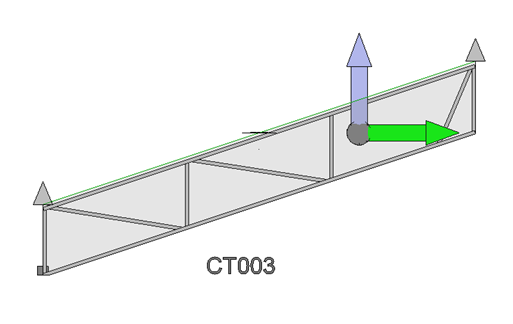
Users will now be able to generate Floor Trusses using sloped floors or roofs as a host. The truss will follow the slope of the Floor/Roof, placing all elements at the correct angles.
3.Trusses
Cap/Brace functionalities
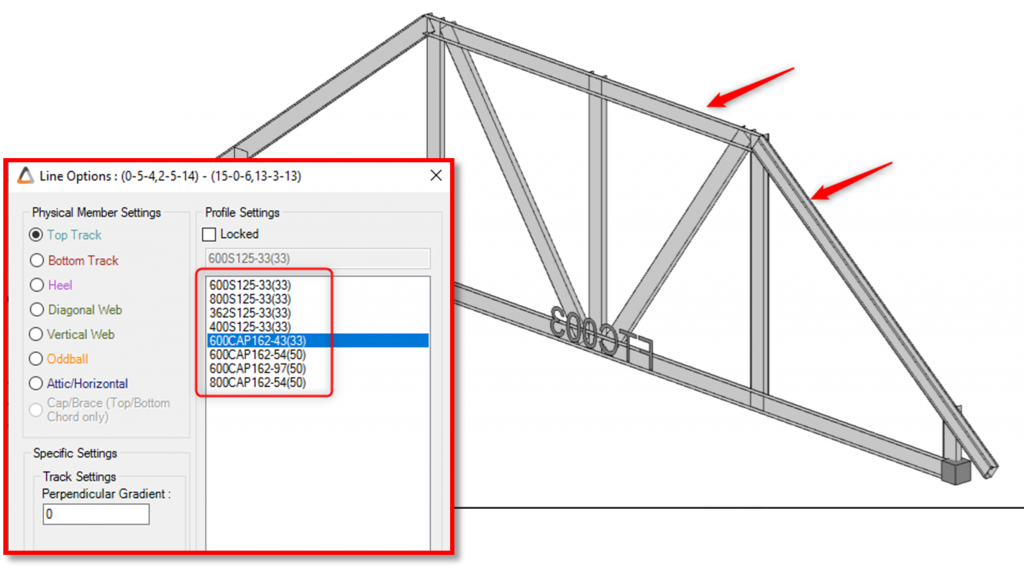
Users will now be able to cap or brace the full length of a chord when more than one chord type is available.
Rename All
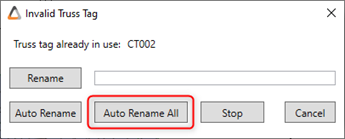
Users will have the option to Rename All when renaming Floor Trusses within a floor cassette.
3. General
Load Data
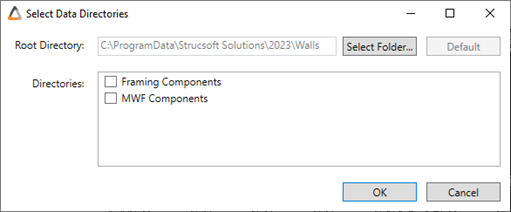
Users will be able to Load Data for Framing and MWF components simultaneously.